StopPolicing.StartEmpowering.
A complete administrative toolkit that lets you configure once and run forever — with powerful control when you need it
The Parent & Educator Challenge
Sound familiar?
Constant Nagging

Constant Nagging
"Did you do your chores?" repeated endlessly. You feel like a broken record, and nobody's happy about it.
Invisible Progress

Invisible Progress
You have no idea if kids are keeping up—until something's undone. No visibility means constant checking.
Manual Tracking
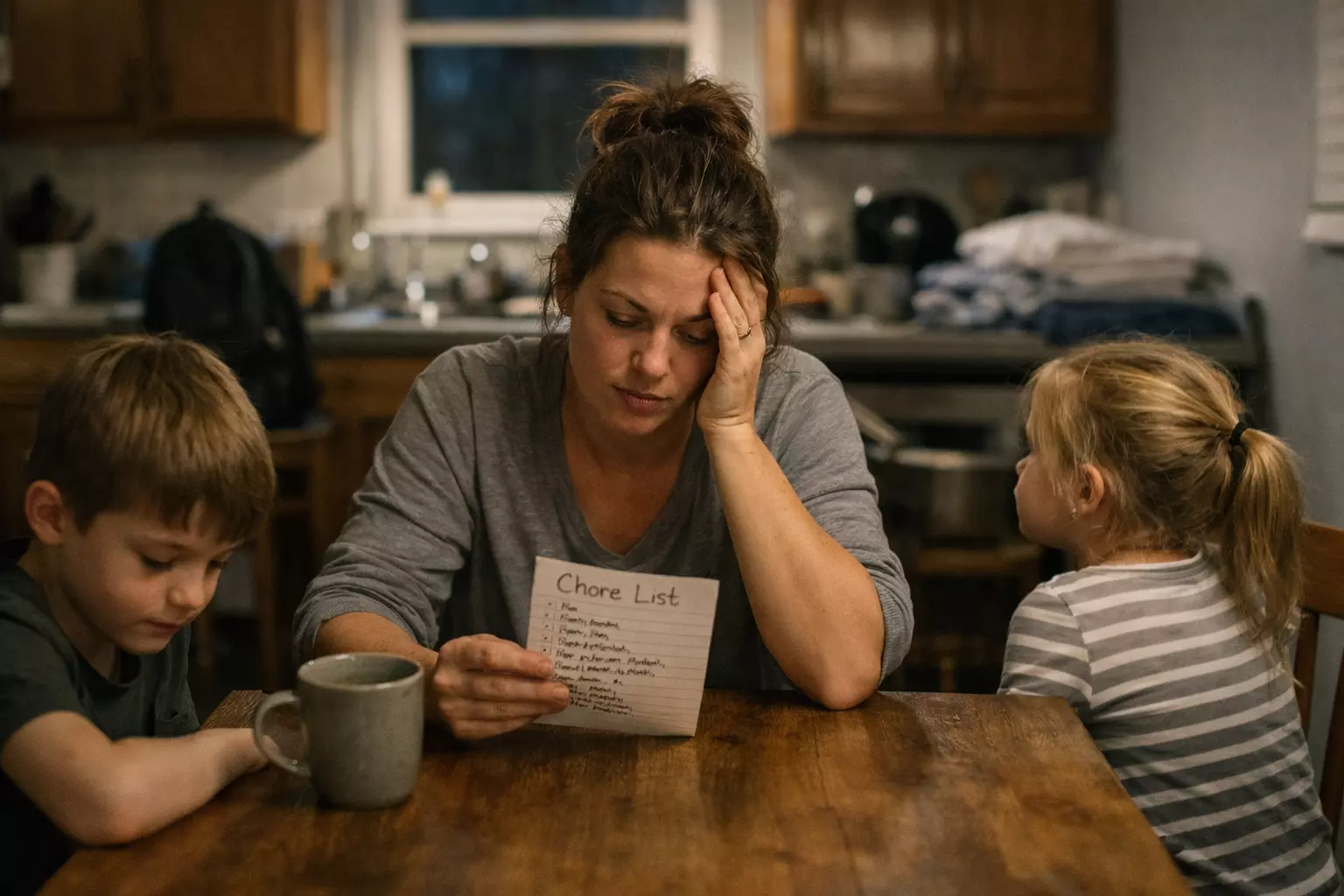
Manual Tracking
Spreadsheets, sticker charts, paper lists—all requiring constant updates. It's a part-time job you didn't sign up for.
"Can I Play Now?"

"Can I Play Now?"
"Can I go on my iPad?" "Can I play outside?" — but their jobs aren't done. You can't remember what's finished and what's not, so every request turns into a negotiation.
"Did you do your chores?" repeated endlessly. You feel like a broken record, and nobody's happy about it.
You have no idea if kids are keeping up—until something's undone. No visibility means constant checking.
Spreadsheets, sticker charts, paper lists—all requiring constant updates. It's a part-time job you didn't sign up for.
"Can I go on my iPad?" "Can I play outside?" — but their jobs aren't done. You can't remember what's finished and what's not, so every request turns into a negotiation.
Path of Progress puts the system to work for you
Quest Management
Create once, runs forever — with the flexibility to handle real family complexity
Main Quests
Required quests that must be completed at every recurrence interval. These are the daily habits and responsibilities that build character.
Make Your Bed
Rewards
Brush Your Teeth
Rewards
Get Dressed
Rewards
Optional Approval Workflow
Want to verify before rewards are given? Enable approval mode on any quest. When your child marks a quest complete, it goes to your pending queue instead of awarding rewards immediately. Approve or reject with one click — the system handles the rest. Kids can even attach photo evidence to prove completion.
Admins Can Play Too
Administrators can easily switch to user mode and add their own quests, compete on the leaderboards, and use the system as a personal task manager. It's not just for kids — parents can hold themselves accountable too, and lead by example.
Quest Board
Post community quests like "Clean the bathroom" that any kid can claim at any time. You don't care who does it — you just want it done. Kids get autonomy to take initiative and earn bonus rewards. Timed quests auto-return to the board if not completed, preventing hoarding and sibling disputes.
Quest Sections
Group quests into time-based sections like "Morning Chores" or "Weekend Tasks" — each with its own visibility schedule. Soccer practice on Wednesdays? Those tasks only appear on Wednesdays. Set it once and forget it. Each section can award its own gem completion bonus.
Team Quests
Kids can form teams of 2–4 to tackle Quest Board quests together. Everyone works on the same quest and all team members earn rewards when it's completed. Big tasks feel less overwhelming when you have a partner.
Golden Scrolls
Turn it on and forget about it. Each day, the system randomly picks one Quest Board quest and marks it as a Golden Scroll — doubling its rewards. It drives kids to keep checking the board without any extra effort from you.
Dual Currency Reward System
Coins for in-game fun. Gems for real-life privileges. Both teaching real lessons.
Coins
In-Game Fun & Customization
Only redeemable for in-game rewards. All content is available when you enable it in your security settings.
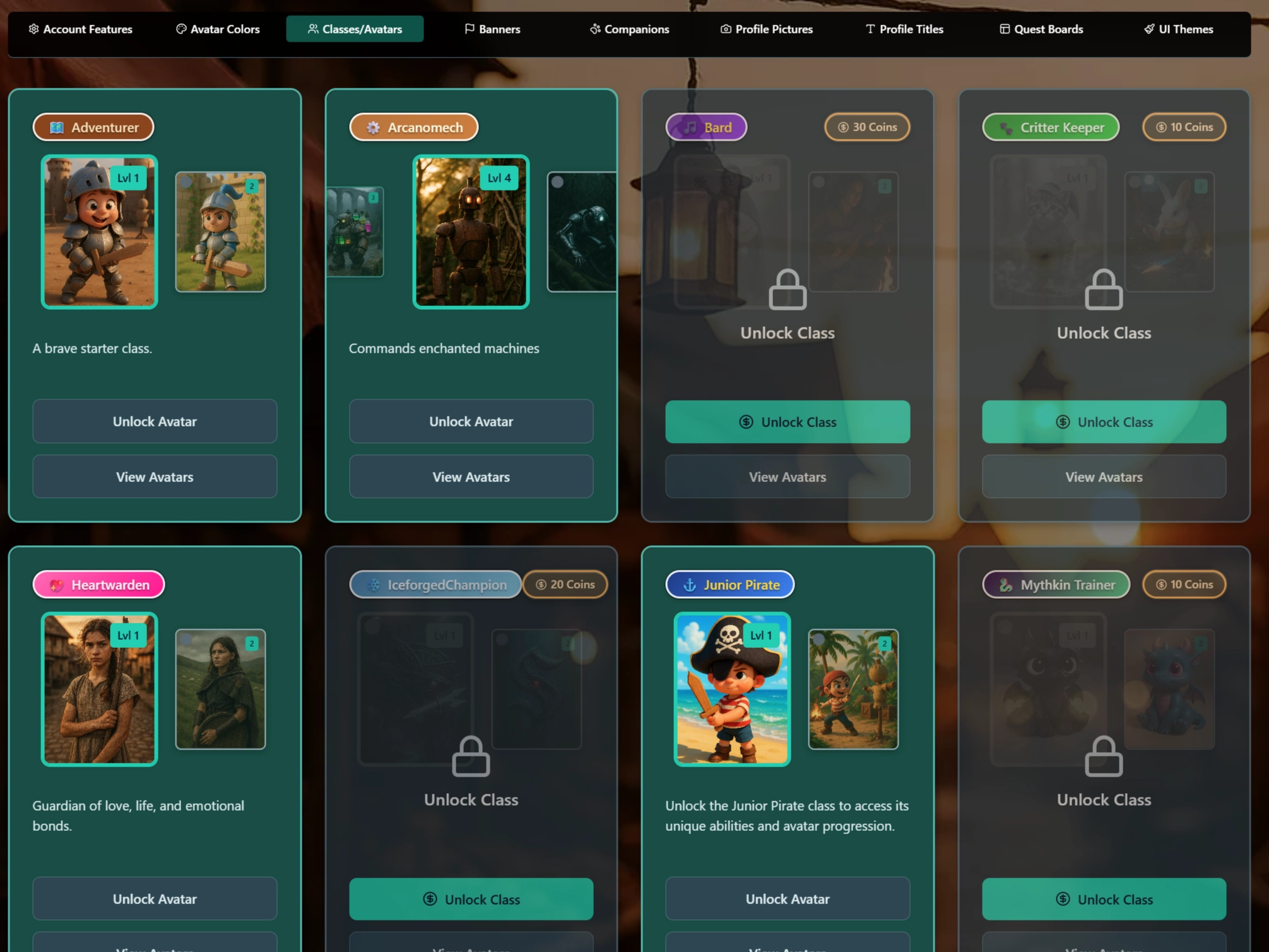
Instant gratification — Teaches spending choices
Gems
Real-World Privileges
Parents configure gem rewards with lots of ready-to-go templates for fast onboarding and ease of use.
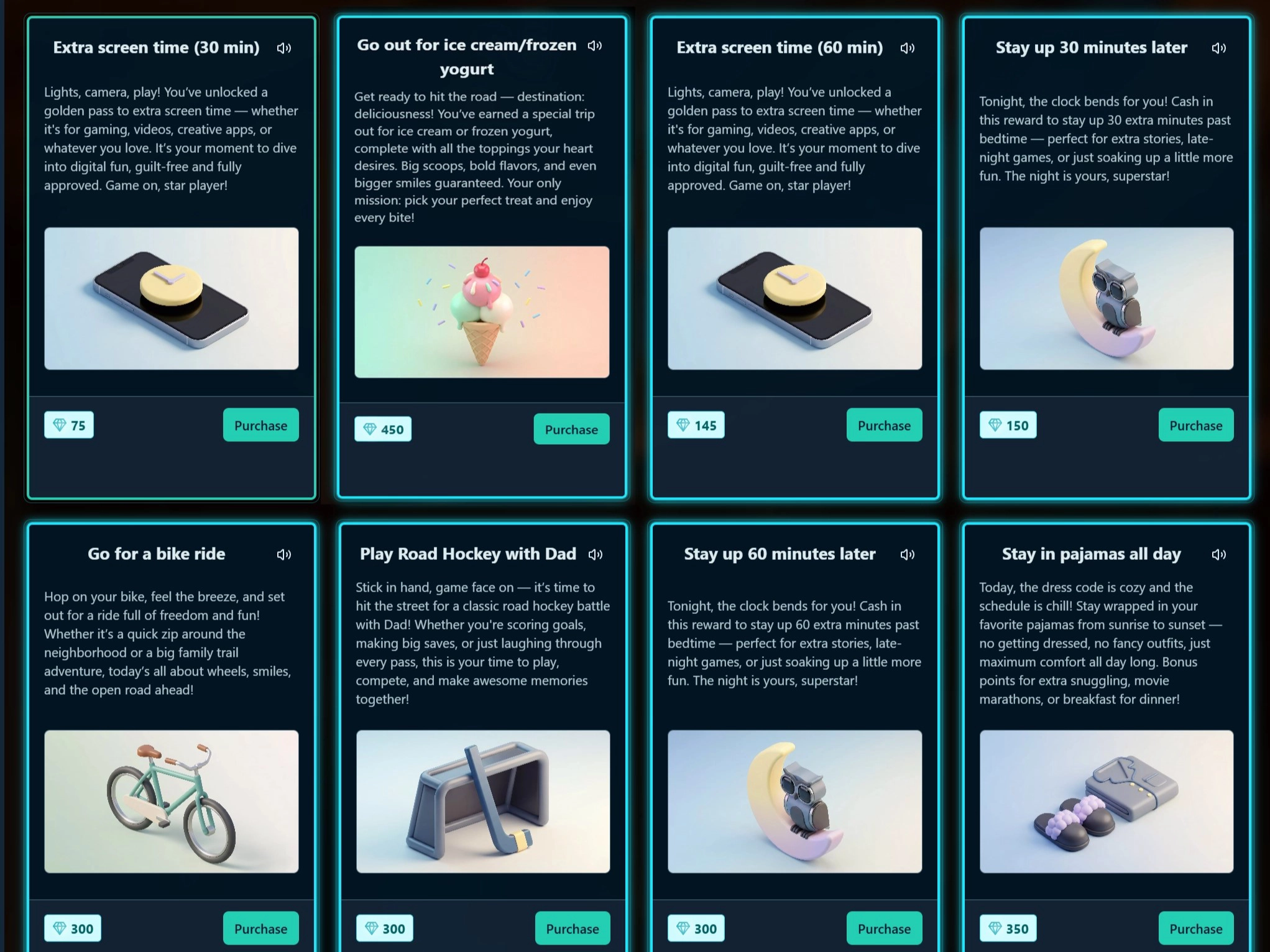
Delayed gratification — Teaches saving & goals
Special Rewards
Did your kid do something exceptional in real life? Give them bonus coins or gems on the spot — no quest required. Special rewards let you reinforce great behavior the moment it happens.
Daily Completion Bonus
Set a gem reward for completing all main quests every day. In our family, this is how kids earn screen time — the only way to get it is by finishing all their quests first.
Why Two Currencies?
By separating fun rewards from real privileges, kids learn to balance instant gratification with delayed gratification. They can enjoy customizing their character while also saving gems for something meaningful — just like budgeting in real life.
You Control Prices
Set the gem cost for each privilege based on what matters in your family
Track the Economy
Analytics show earning patterns so you can balance the reward system
Gem Redemption Queue
When kids spend gems on real-world rewards, requests land in a queue you review from the dashboard. Acknowledge them after fulfilling the reward in real life. A full audit log tracks which parent approved what and when — no writing things down, no guessing, always at the touch of a finger.
Rare Gem Rewards
Create limited-availability rewards — either time-sensitive or quantity-limited — with special styling so kids know they're unique. One pass to the trampoline park and four kids? Put it in the gem store and let them decide if it's worth spending their hard-earned gems. Teaches prioritization over impulse.
Achievements
Kids unlock achievements for completing quests, finishing team quests, building streaks, maintaining chains of streaks, making coin shop purchases, and much more. Achievements give kids ongoing goals beyond daily quests and keep motivation high over the long term.
Permanent Ownership
Everything kids buy with coins — avatars, companion pets, themes, titles — they own forever. Nothing expires or gets taken away. Their collection grows over time as a visible record of their hard work and progress.
Security & Content Control
Granular flexibility designed for busy families
Every family is different, and Path of Progress gives you granular control over exactly what your kids can see, earn, and interact with — all designed with a set it and forget it mentality.
We know parents are busy and don't have time to play with endless settings. That's why every configuration option is built to be intuitive, well-defaulted, and something you configure once during setup. But when you need to change something, the power is always there.
Content Visibility
Control what in-game content each child can see and purchase. Full per-child customization.
Granular System Settings
Fine-tune every aspect of the system with powerful global settings and toggles.
Set It and Forget It
Configure during onboarding and the system enforces consistently without daily involvement.
Override When Needed
Full admin access always available. Change any setting instantly when circumstances change.
Control Without Complexity.
Dashboards & Reporting
Rich analytics and at-your-fingertips control
Emma
MORNING
CHURCH
SCHOOL DAY MORNINGS
WEEKEND
AFTER SCHOOL
DAILY
BALL HOCKEY PREP
EVENING
Side Quests
(4)Completed Today
No quests completed today.
Oliver
MORNING
CHURCH
SCHOOL DAY MORNINGS
WEEKEND
DAILY
BALL HOCKEY PREP
EVENING
Side Quests
(4)Completed Today
No quests completed today.
See each child's progress at a glance — no more asking 'Did you do your chores?'
"After years of working in IT, I know exactly what type of dashboards work and how to drive information in a helpful and practical way. Every chart, metric, and report in Path of Progress is designed to give you actionable insight — not just data."
Easy Quest Management
Complete, skip, or fail any kid's quest with one click. Manage their progress without hovering.
Instant Refunds
Accidentally purchased rewards or sibling mischief? Refund any transaction instantly with full audit trail.
Detailed Reporting
See who's doing what quest and when. Coach your kids where they need help and encourage lifelong skills.
User Administration
Simple, transparent account management with full audit trails
Easy PIN Changes
Kids log in with simple PINs. Change any kid's PIN in seconds from the admin console.
Young Pup Mode
Gives discounts on shop items for younger kids who might not complete the same volume of quests as older siblings. Keeps things fair.
Currency Management
Easily edit gem and coin quantities with a full audit trail. Increase or decrease balances based on real-world exceptions that come up.
No Gatekeeping
Gems and coins are not tied to any real-world currency. They are completely meant to steer kids towards building lifelong habits and good skills — so there is no gatekeeping over how you manage them.
Edit User
Manage user profile, roles, and balances.
Level
Level editing is only available for test users
Manage Gems
Manage Coins
Roles
Test user status cannot be reverted
Young Pup Mode
This mode gives users a discount on all shop items that can be set in global settings.
Reset PIN
Enter a new 6-digit PIN for the user. They will be notified of this change.
Leave blank to keep the current PIN.
Premium Learning Modules
Turn screen time into learning time — available as an add-on subscription
Add rich, gamified educational modules to your family's Path of Progress experience. Each module comes with detailed analytics so you can track exactly how your kids are progressing in their learning quests.
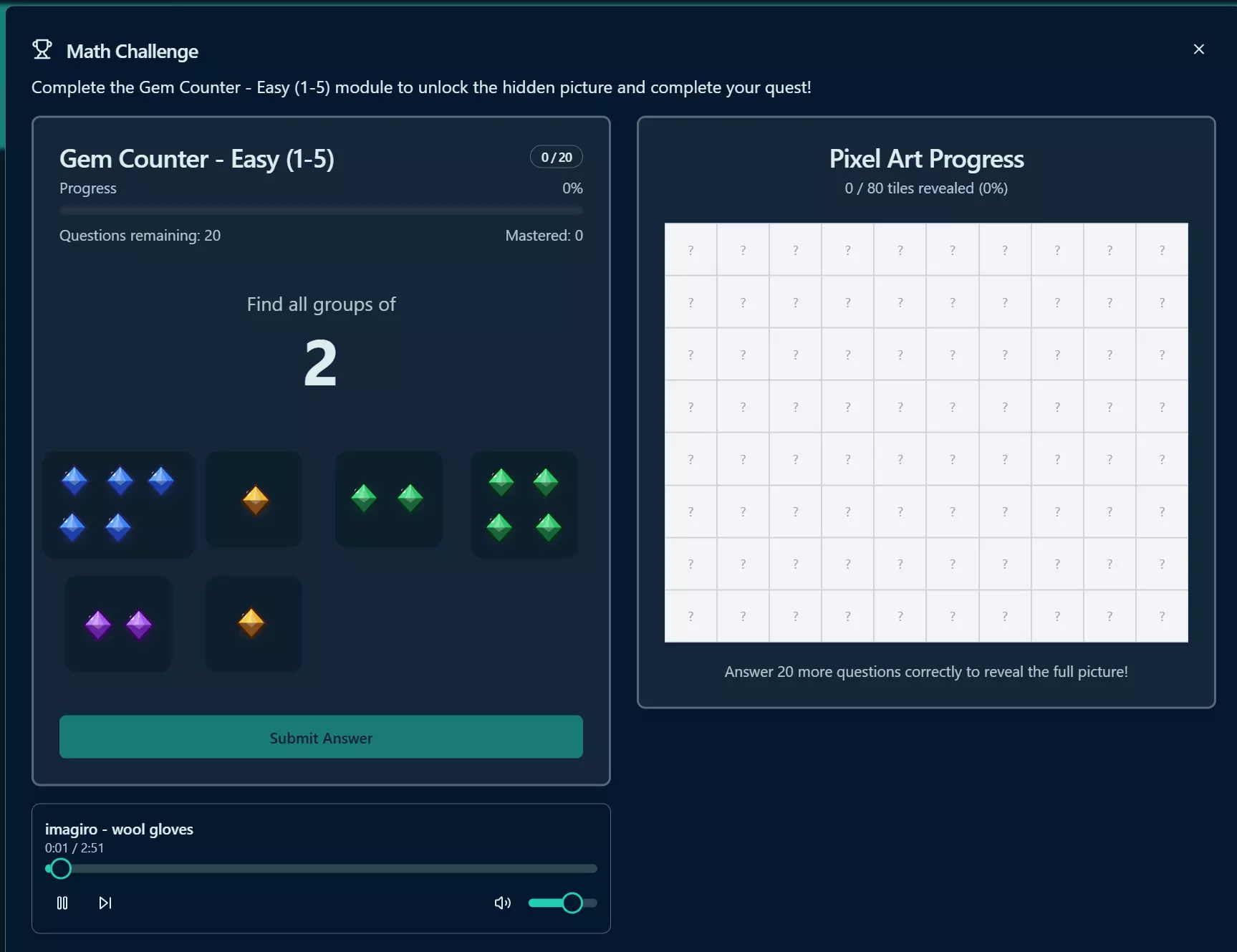
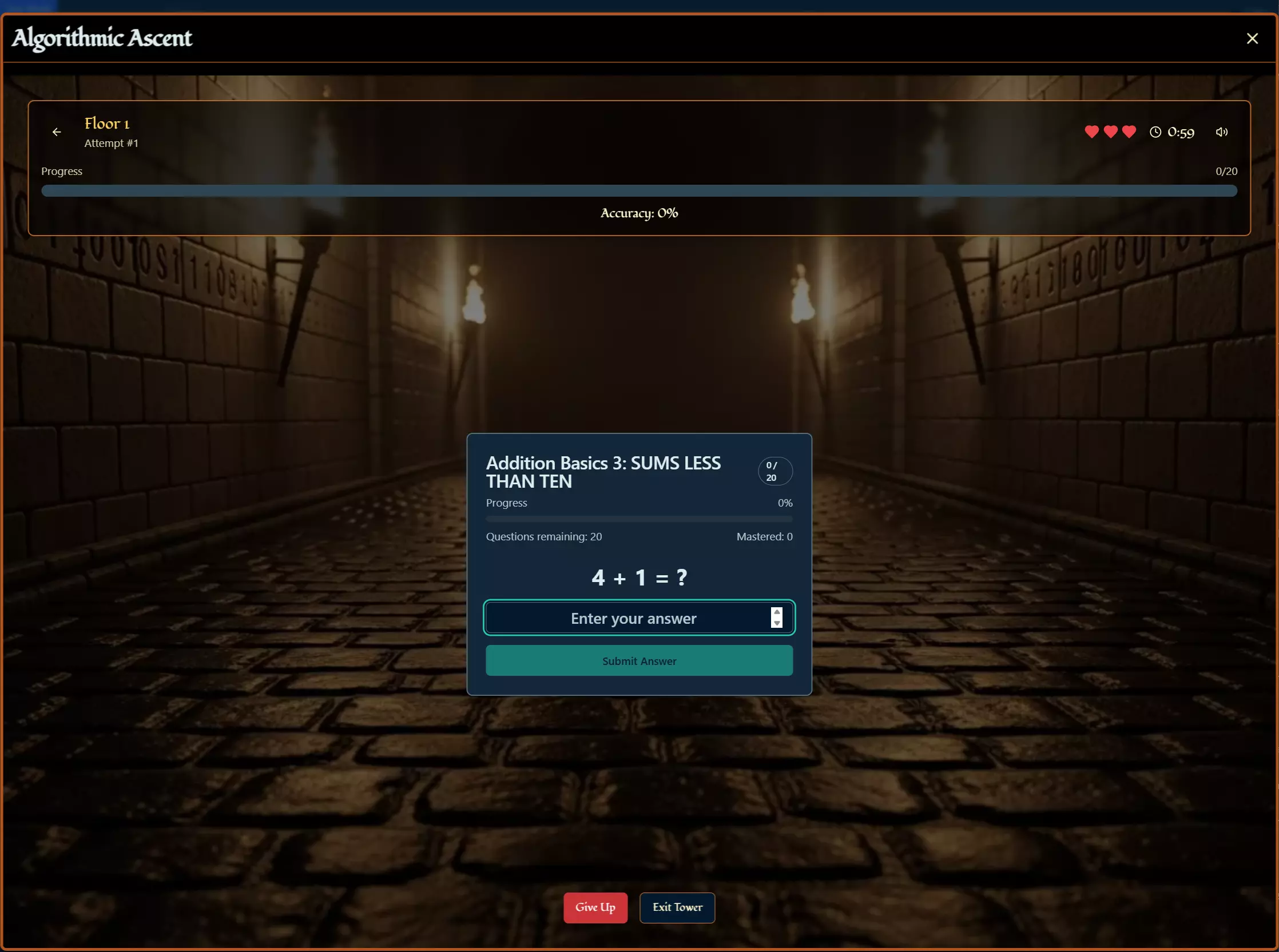
Math & Logic Mastery
Pixel Art Math, Formula One Decimal Racer, and the Math Tower — multiple game modes covering fundamentals through advanced operations with detailed analytics.
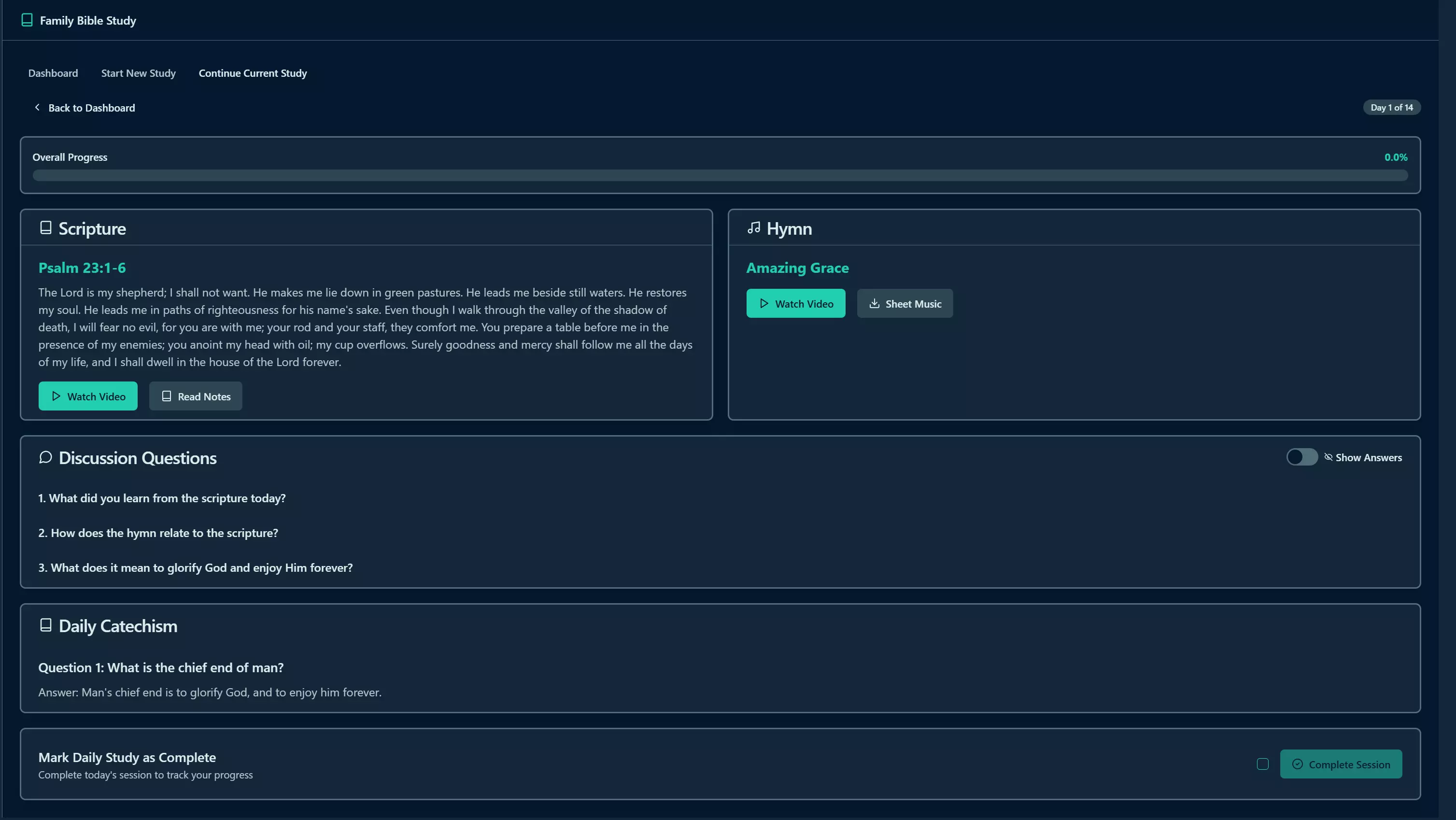
Family Bible Study & Learning
Scripture memorization, Books of the Bible drills, and curated family devotion plans — all with progress tracking and analytics.
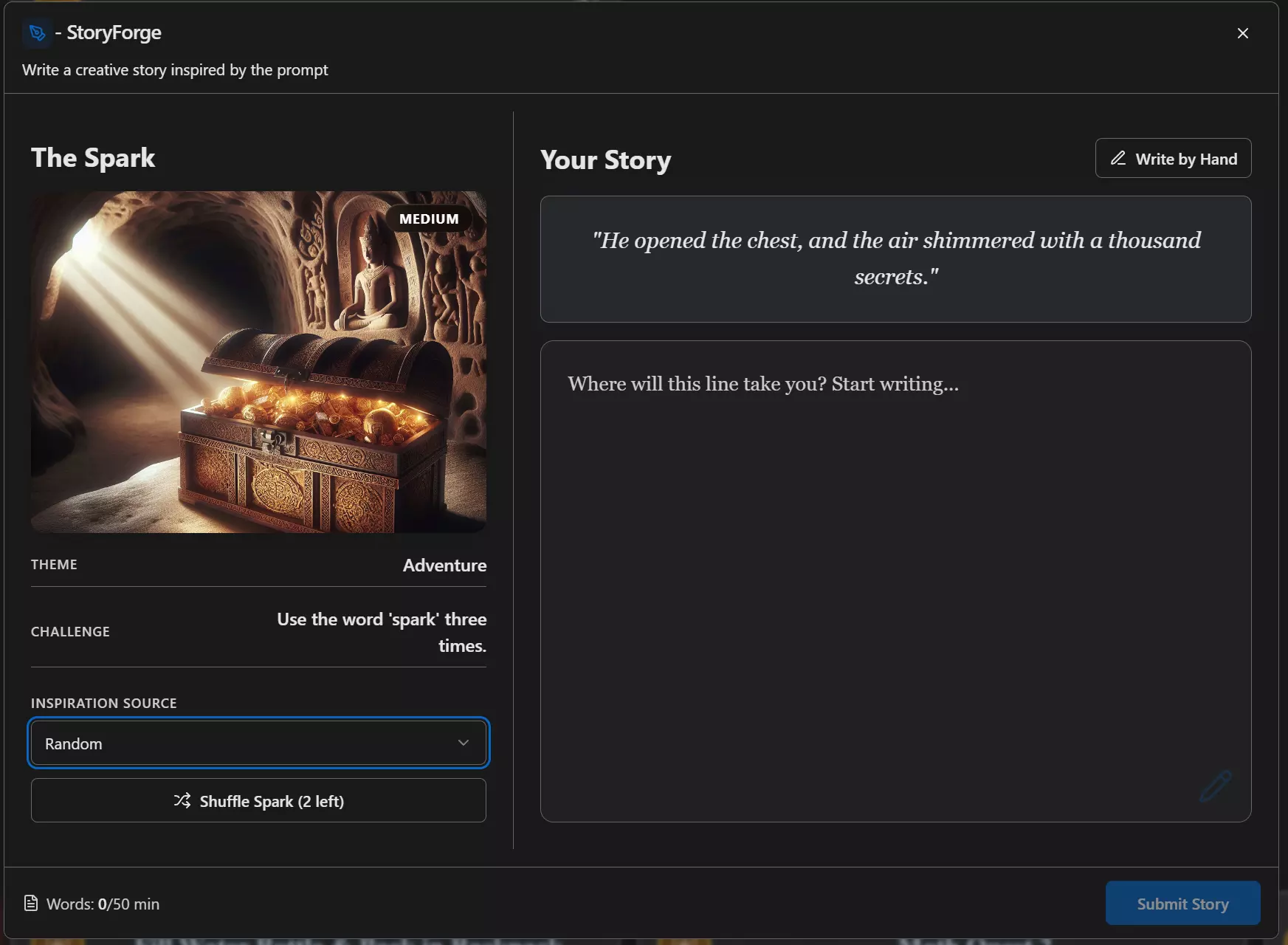
Reading & Writing
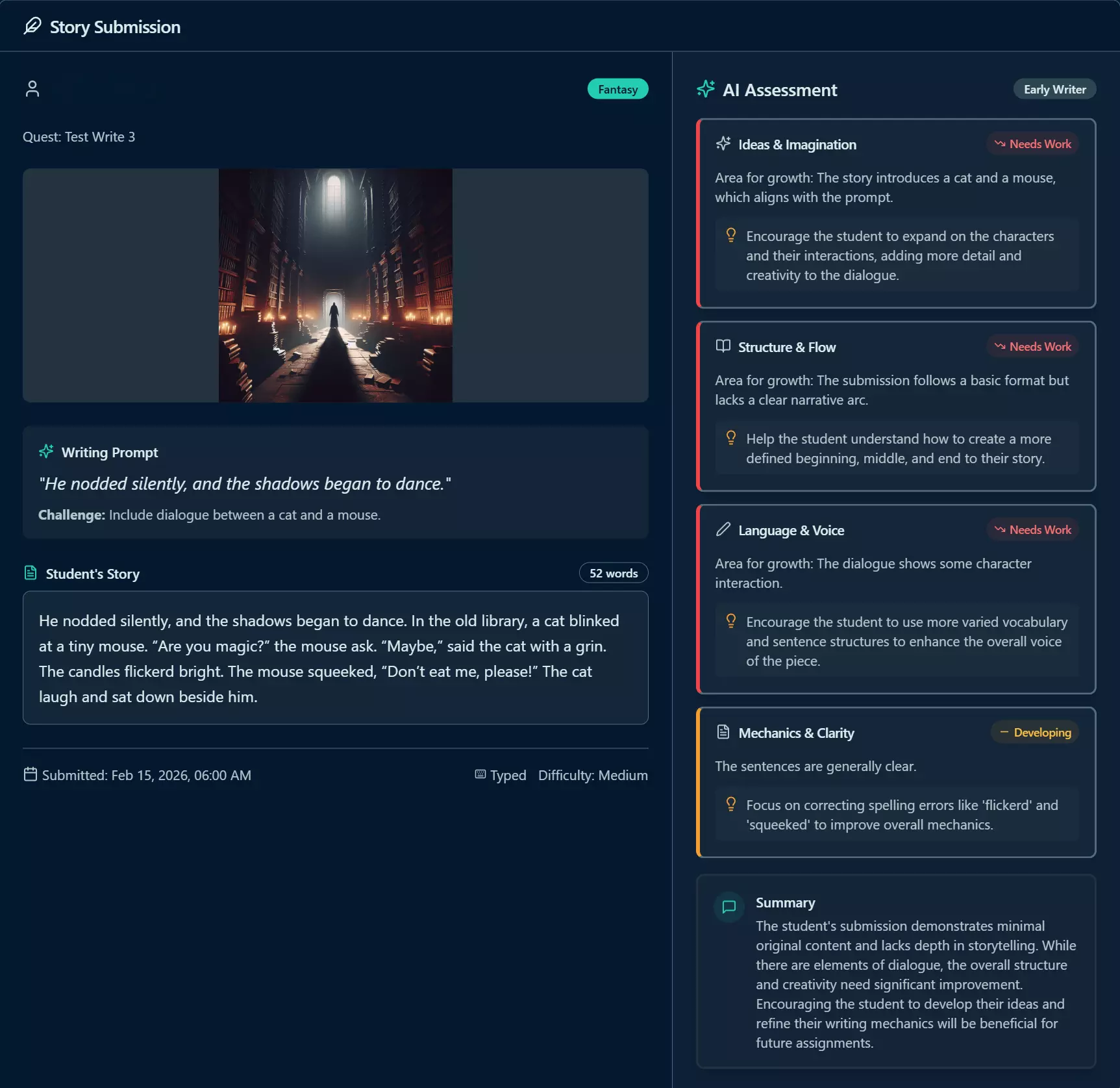
AI-powered creative writing with automatic grading, learner levels, and detailed feedback — plus reading comprehension coming soon.
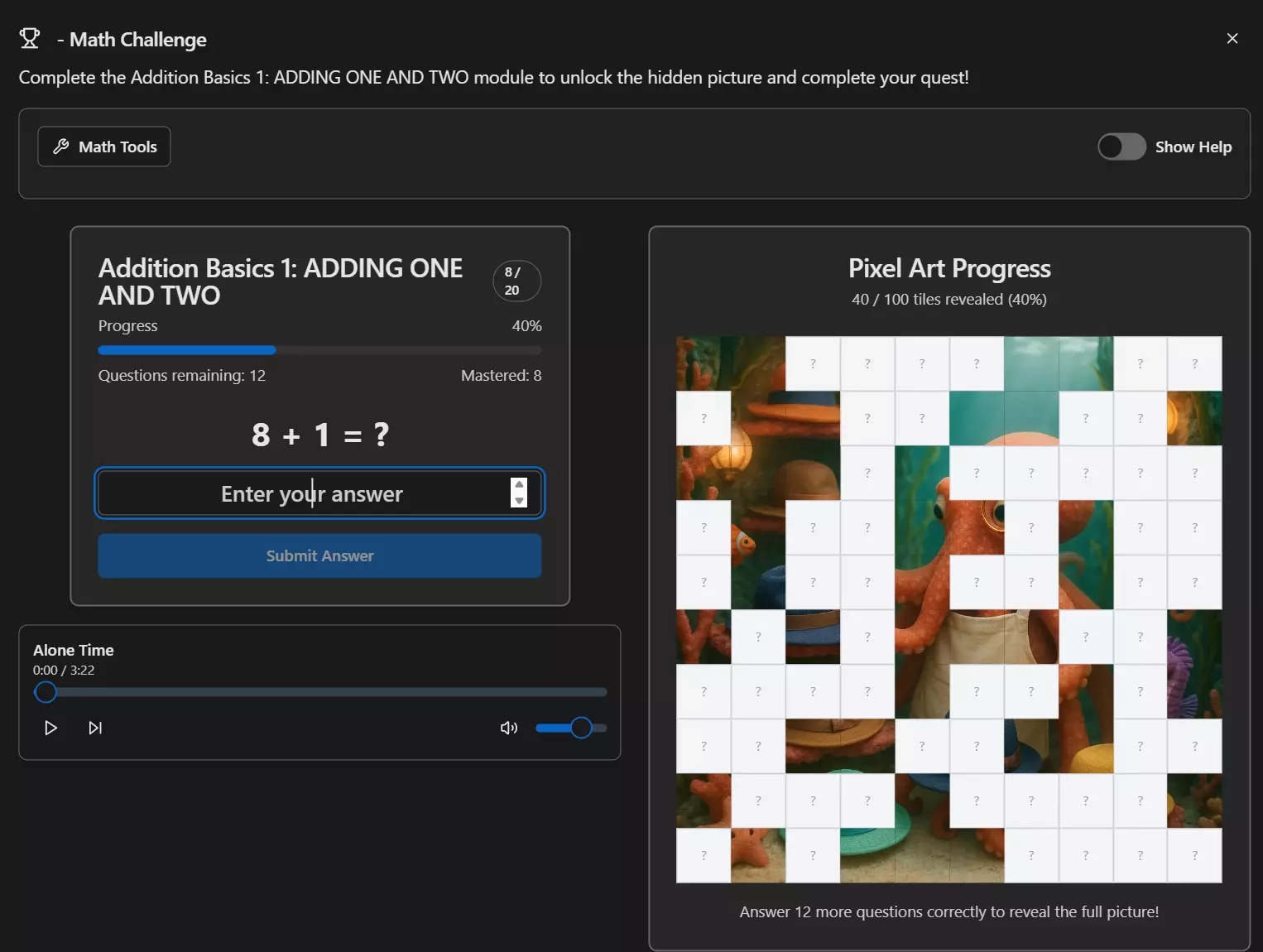
Pixel Art Math
Ready to Transform Your Family's Routine?
Join families who've stopped nagging and started empowering. Get the complete administrative toolkit that makes responsibility training effortless.
Powerful admin tools • Real-time analytics • Complete customization